
Comma Separator
Convert columns to delimited text, or reverseDrag & Drop CSV / Excel file here or Click to Upload
Input
0 lines
1
Output
0 chars
Settings
Format
Separator
Text Case
Transforms
Find & Replace
Drag & Drop CSV / Excel file here or Click to Upload
Do you have a list that looks messy? Like names or things all over the place? Don’t worry! Toolifypo.com has a free tool called the Online Comma Separator. It puts commas between your words fast and makes everything neat. It’s so easy to use, and it’s free! Whether you’re making a list for school, work, or home, this comma separator online helps you in seconds. Let’s learn about it and see why it’s better than others, like the free online comma separator tool.
Comma Separator is an online utility tool that is used to organize and format text data; it converts column words, names, sentences, numbers, or values into comma-separated format quickly. This tool is specifically designed for those who work on CSV files, tags, email IDs, database entries, etc. Instead of doing it manually, this tool saves a lot of time, reduces the error, and improves data readability.
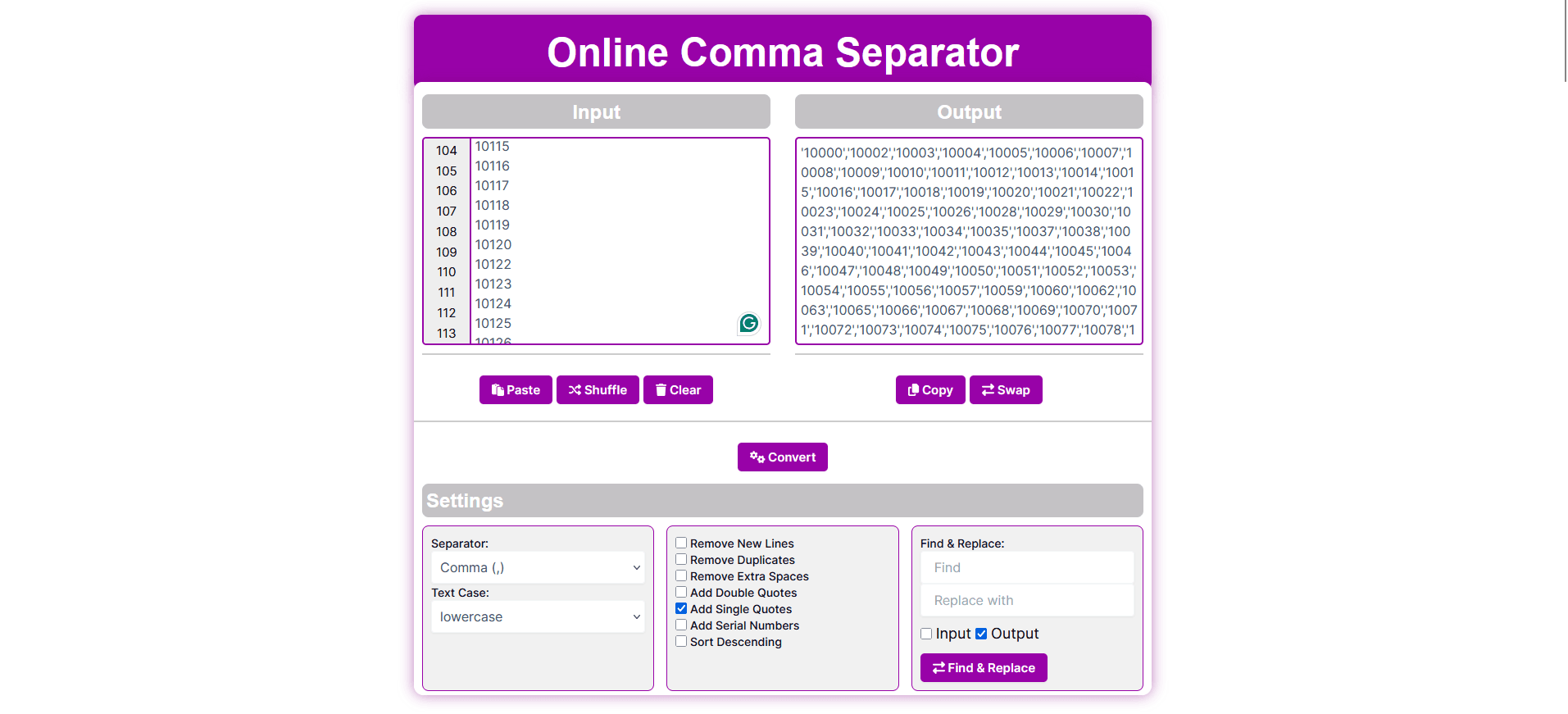
The online comma separator takes your list and adds commas. For example, if you write:
It turns into: Mango, Banana, Apple. See? All nice and together! You can use it for anything—names, fruits, numbers, or even big lists. It’s called an free comma separator because it works on the internet—no need to download anything.
This tool has many fun tricks to make your list perfect. Let’s look at each one!
The main job is adding commas. You type “Mango Banana Apple,” and it makes “Mango, Banana, Apple.” But if you don’t like commas, you can use other things—like dots or spaces. This online comma separator tool lets you choose what you want. Great for computer work or simple lists!
You can make your words look different:
This free online comma separator lets you pick whatever you like!
Sometimes your list has lots of lines, like this:
The tool fixes it to one line: “Mango, Banana, Apple.” No more breaks! This online comma separator to column trick also works the other way if you need columns later.
Got the same thing twice? Like “Mango, Banana, Mango, Apple”? This tool takes out extras and gives you “Mango, Banana, Apple.” So easy—no checking by hand!
If your list has too many spaces—like “Mango , Banana , Apple”—it cleans it up to “Mango, Banana, Apple.” No mess, just neat!
Want your list to look special? The online comma separator with double quotes adds “ ” around each word. So “Mango, Banana, Apple” becomes “”Mango”, “Banana”, “Apple”.” Perfect for computer files or big projects. This online comma separator with double quotes is super helpful!
Don’t like double quotes? Try single ones! The online comma separator with single quote makes it ‘Mango’, ‘Banana’, ‘Apple’. It’s good for coding or keeping things light. This online comma separator with single quotes is a cool choice too!
Want numbers with your list? This adds them—like “1. Mango, 2. Banana, 3. Apple.” It’s great for counting things or making plans.
Need your list backwards? Like “Mango, Banana, Apple” turns into “Apple, Banana, Mango.” This online comma separator tool makes it fast—no thinking needed!
Want to swap a word? Like change “Mango” to “Fruit” in “Mango, Banana, Apple”? It becomes “Fruit, Banana, Apple.” You can do this before or after—super smart!
This free online comma separator tool from Toolifypo.com is better than others because:
Toolifypo.com gives you more features—like quotes, numbers, and sorting—all free!
Using the online comma separator is as easy as drinking water! Here’s how:
Even if your list is big—like 100 things—it works fast. No waiting!
Anyone can use this free online comma separator! Here’s how:
Let’s talk more so you really get it!

Lists with commas are easy to read. Computers like them too—like in Excel or coding. This online comma separator tool makes sure your list works everywhere.
Some tools only add commas. But Toolifypo.com’s free online comma separator does so much more—quotes, numbers, sorting—all free! Others, like free online comma separator tool, don’t give you all these extras.
Don’t waste time fixing lists with your hands. The online comma separator from Toolifypo.com is fast, free, and fun. Want online comma separator with double quotes? Got it! Need online comma separator with single quotes? Done! Open it on Toolifypo.com—no sign-up, no problem. Try this free online comma separator tool today and make your lists perfect—one comma at a time!
A comma separator is an online tool that adds commas and other special symbols to text or numbers.
Yes, it is completely for everyone; no signup or download is required to use it.
It takes text or number input in a column, and the user has to select the delimiter, comma, or other special symbol and click convert.
Yes, you can use it for 1000s of records in a single go.
Yes, Instead of using only commas, you can add more symbols like PIP, semicolons, spaces, and custom.
No, this is a web-based tool that fully works online in any browser.
Of course, this comma separator tool is not limited to numbers only.
No, we do not store your data on our server; all the operations are done within the browser locally.
No, it’s 100% free.
Yes, this tool is useful for all, whether you are a developer, data analyst, database manager, student, or content writer.